

Connect ChatGPT to Nora
Give ChatGPT read-only access to your Nora financial data through MCP.
A short walkthrough of the current ChatGPT setup flow. Controls are available if you want to pause at any step.
You need a Nora account with connected data and a ChatGPT account that can use custom connectors. You will sign in to Nora during setup.
How to do it
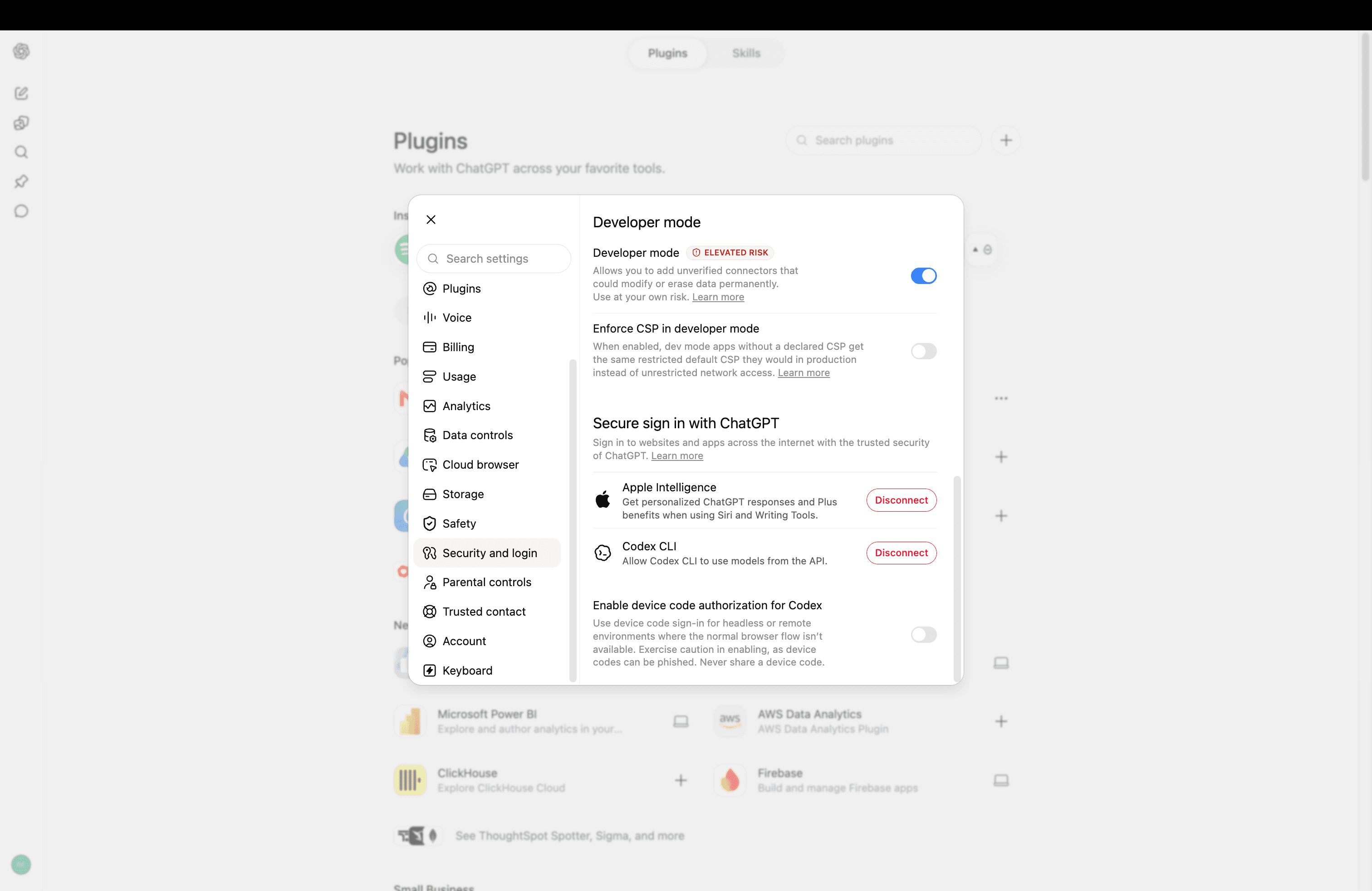
Turn on Developer mode
In ChatGPT Settings, open Security and login, find Developer mode and turn it on. ChatGPT marks this as an elevated-risk setting because it allows custom connectors.
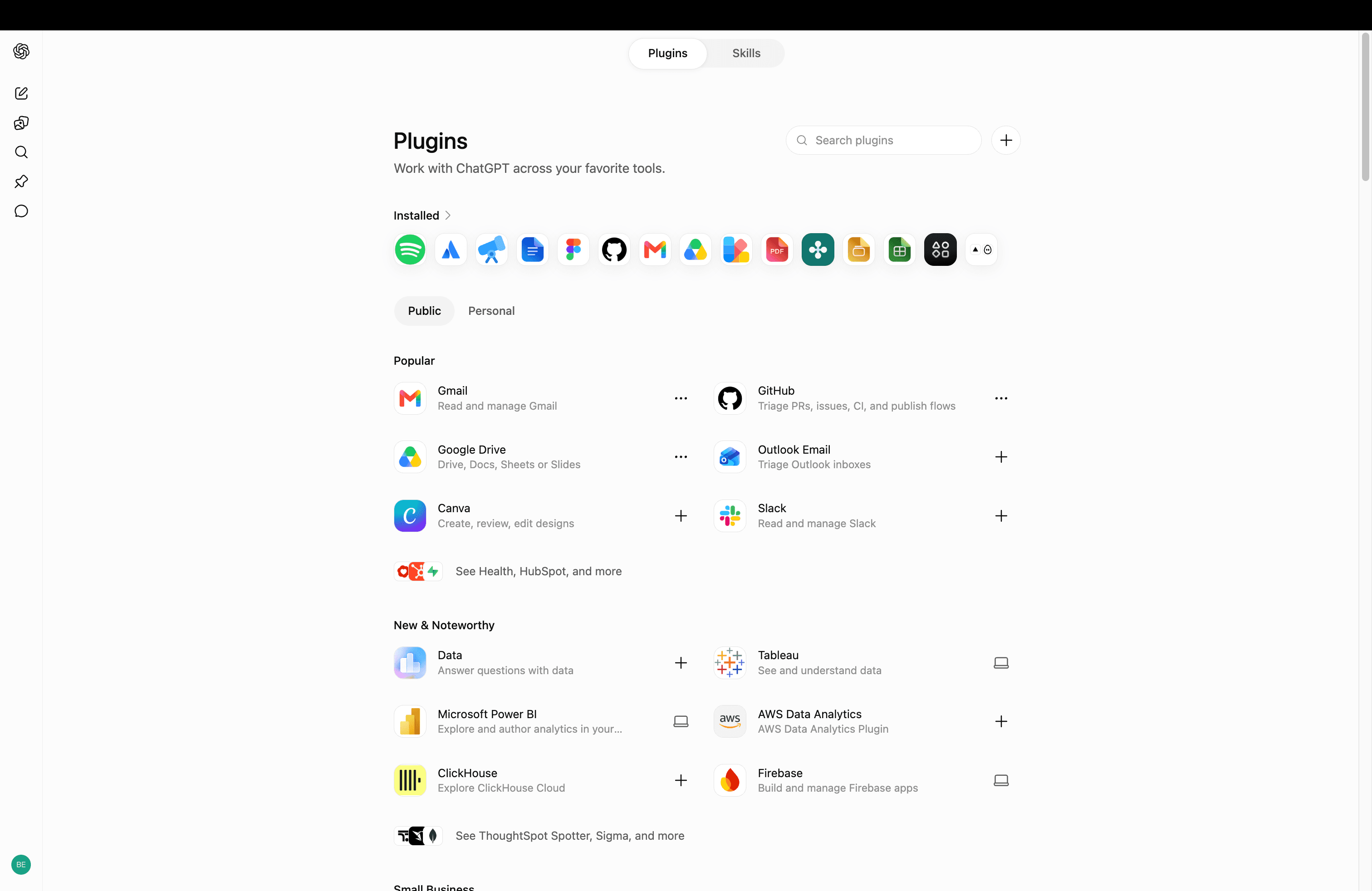
Open Plugins
Back in ChatGPT Settings, open Plugins and choose the plus button beside the search field.
Create the Nora plugin
Name the plugin Nora, paste the Server URL below, select OAuth as the authentication method, acknowledge the custom-server warning and choose Create. The icon is optional — download the Nora one if you want it.
nora-logo.png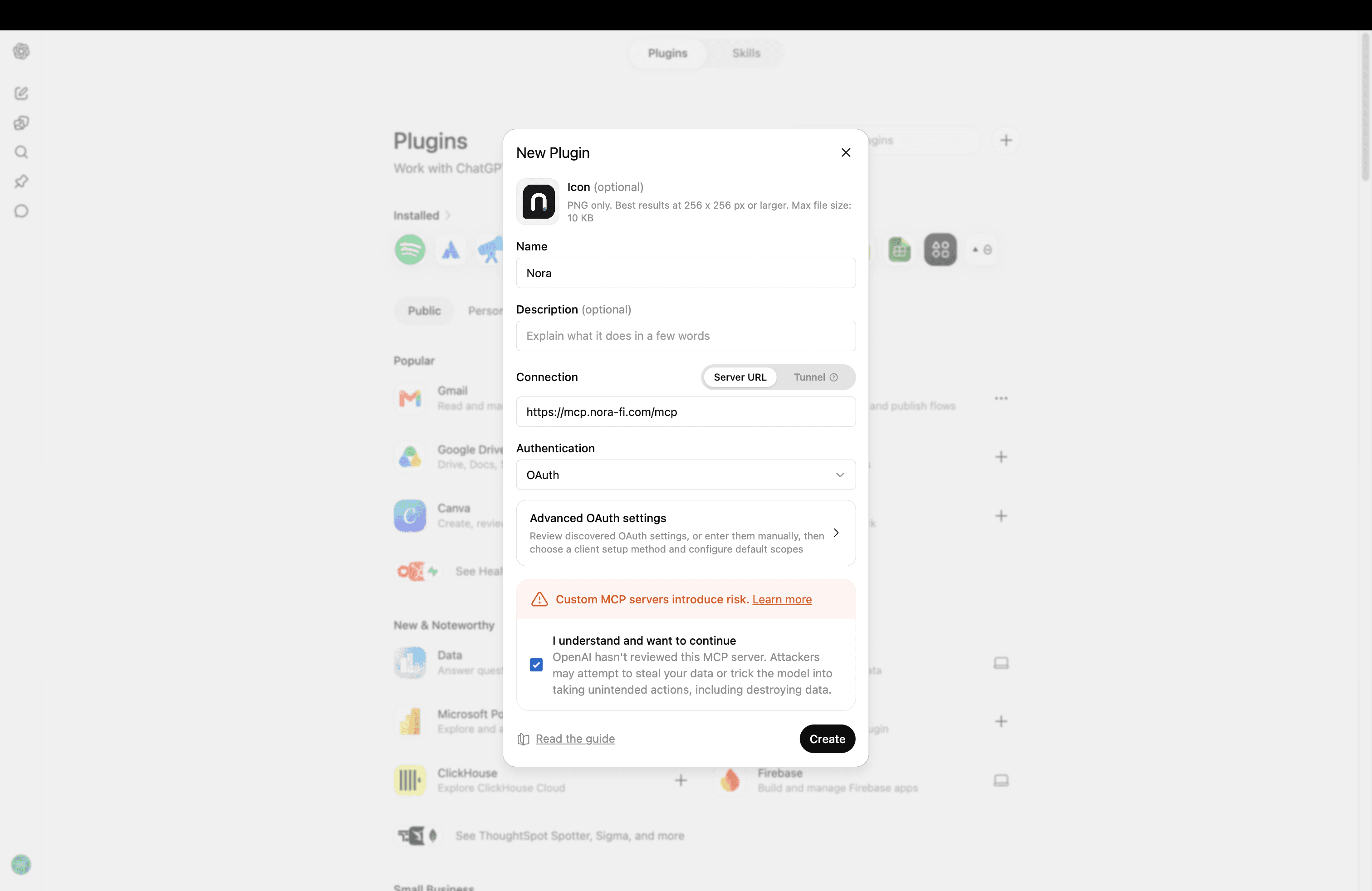
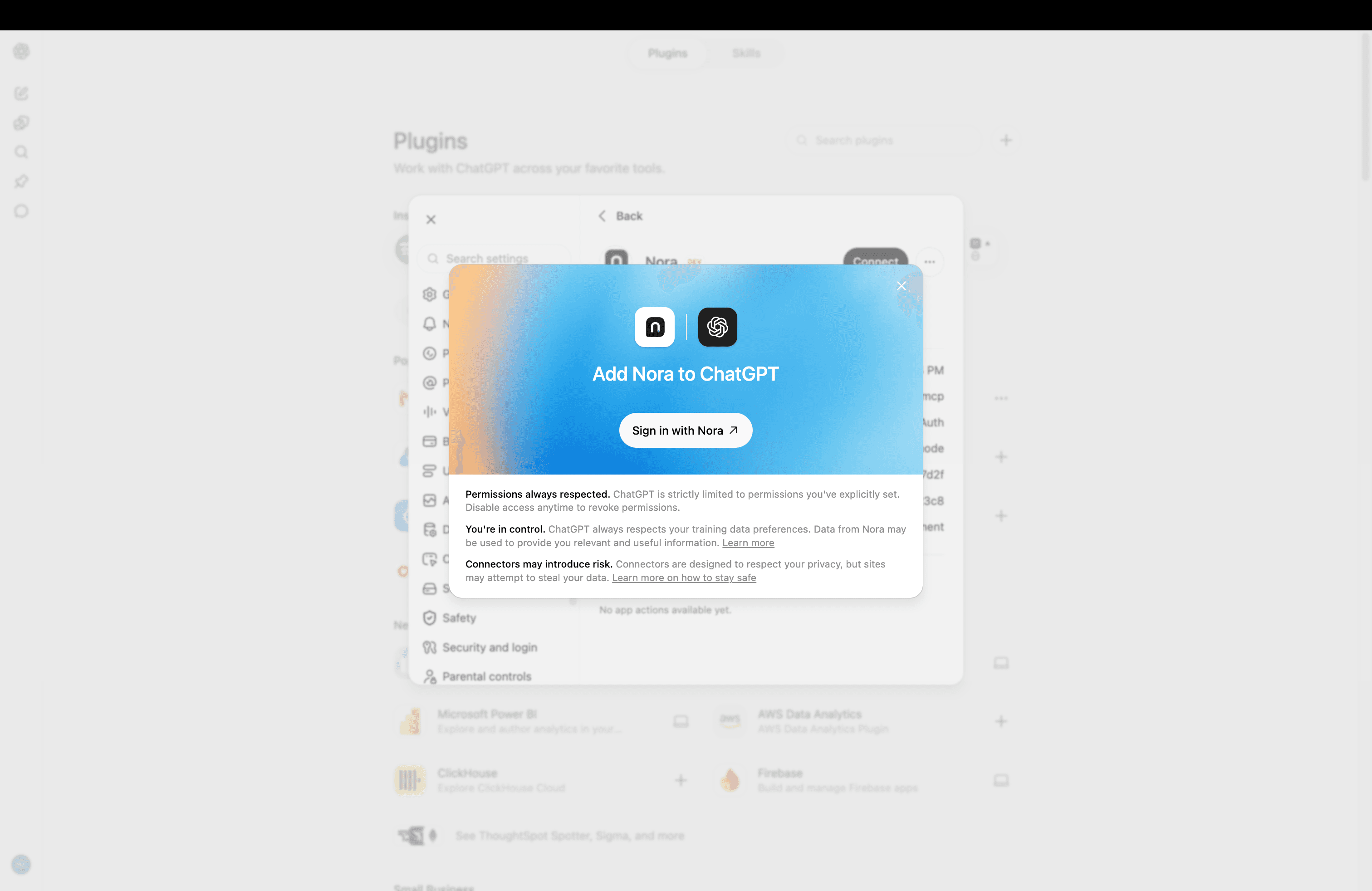
Sign in to Nora
Choose Sign in with Nora and use the Nora account that contains the data you want to ask about.
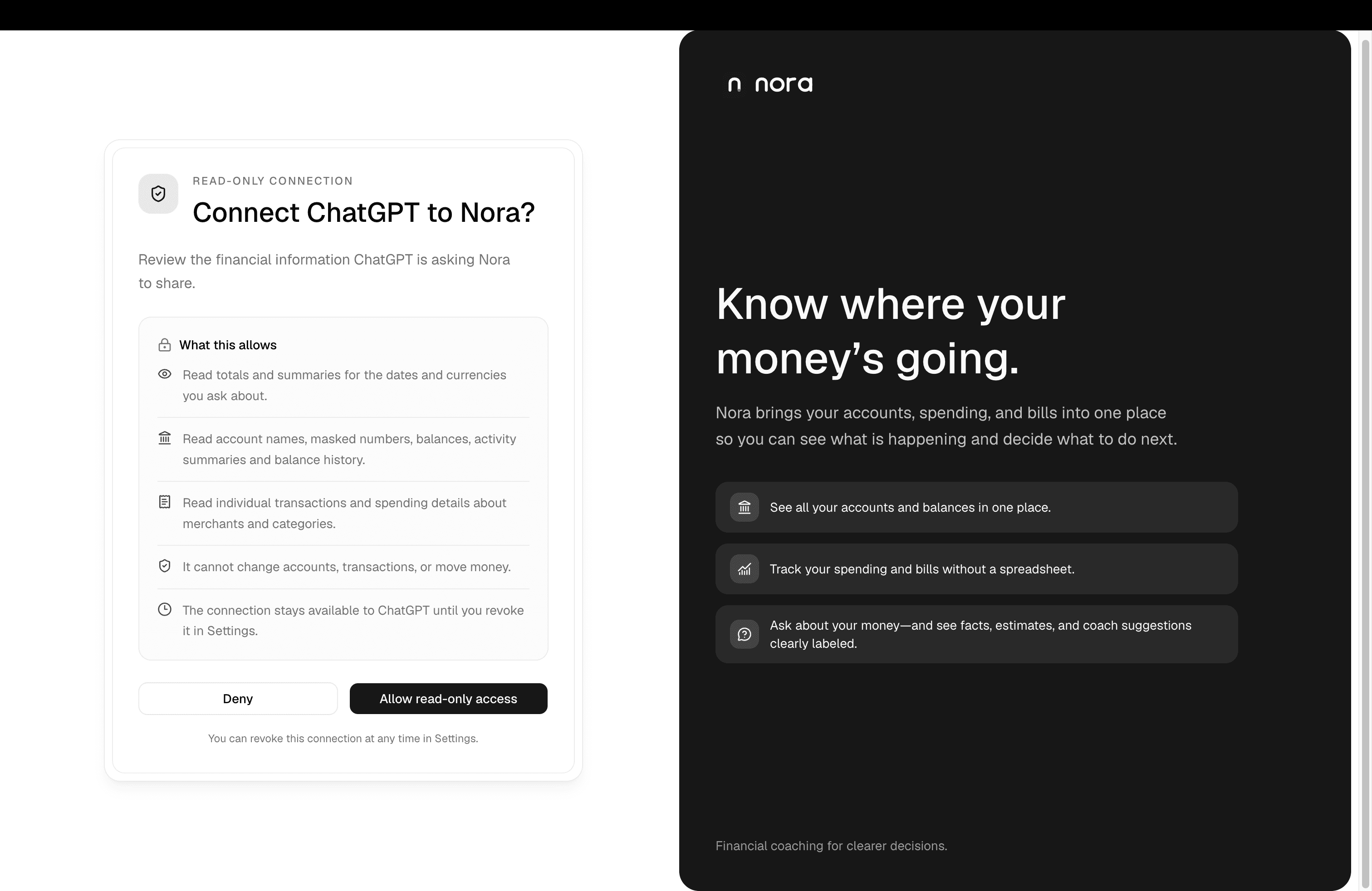
Approve read-only access
Review the access screen, then choose Allow read-only access. The scopes you approve determine what ChatGPT can request.
Ask your question
Start a new ChatGPT chat and ask about your spending, balances or transactions. Start the message with @Nora if ChatGPT does not select the connector automatically.
Check your setup progress
Authorized reflects current read-only consent. First financial request completed is recorded separately for ChatGPT and Claude, after Nora processes a financial tool call; an empty result can count. It does not prove that the app delivered an answer. Earlier use is not backfilled. Revoking access removes authorization without erasing this milestone; Clear learning progress removes it without disconnecting apps.
The connection is saved in ChatGPT and can be revoked from its connector settings. Nora shares only the read-only financial information covered by your consent. ChatGPT processes the prompt and returned data under its own terms, so check important answers against Nora and your bank.
Having trouble?
- If you cannot see Developer mode or create a plugin, your ChatGPT plan or workspace may not expose custom connectors. Ask your workspace administrator or try again in a supported ChatGPT account.
- If sign-in does not open, allow pop-ups and retry from the Nora connector. Make sure the Server URL is exactly https://mcp.nora-fi.com/mcp.
- If Nora has no data to show, open Nora and check that the account connection has finished importing. ChatGPT can only read data already available in Nora.
- To stop access, remove or disconnect Nora from ChatGPT's connector settings. Revoking it blocks future requests, even if an older session token has not expired.
Reviewed